Prepare the outlet master
Maintain the customer, location, territory, channel type and ownership data needed to decide where each outlet belongs.
Explore workflow
Build repeatable outlet coverage plans by territory, route, representative and working day.
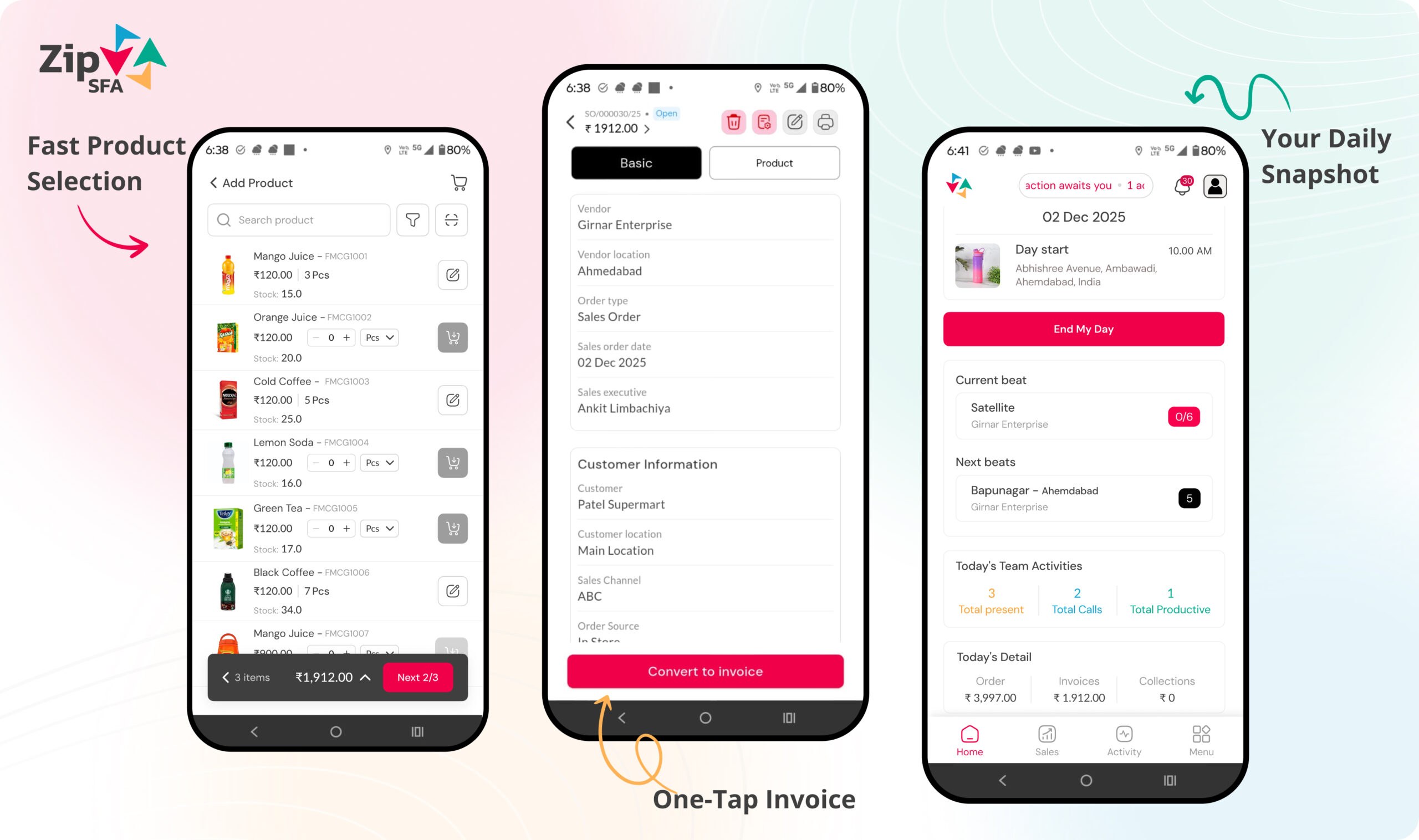
The process should be evaluated from the first field action through manager review and downstream operational ownership.
Organise customers into practical beats
Assign frequency, day and representative
Publish the plan to the mobile workflow
Compare planned visits with completed outcomes
Beat planning software should connect territory ownership, outlet priorities, visit frequency and the field working day. The plan becomes useful when representatives can execute it and managers can review planned coverage against actual outcomes.
Maintain the customer, location, territory, channel type and ownership data needed to decide where each outlet belongs.
Explore workflowGroup nearby or operationally related outlets into beats that fit the representative's territory and normal working capacity.
Explore workflowAssign the required visit frequency, weekday and representative so recurring coverage expectations are clear.
Explore workflowMake the approved beat and customer sequence available in the mobile workflow with the context needed for each visit.
Explore workflowConnect each completed visit with the correct outlet, activity, order, observation and next action.
Explore workflowUse consistent records to identify missed coverage, repeat exceptions and territories that need reassignment or planning changes.
Explore workflowA useful demonstration should use representative outlet and territory data, realistic visit frequencies and common exceptions. It should show the complete process from beat creation to field execution and manager review.
Permissions and workflows should match responsibility, so representatives stay focused while managers and operations teams retain the required control.
Use a realistic beat planning software scenario during evaluation. Include the people who perform the action, the manager who reviews it and the team that owns the resulting transaction or report.
A product review should establish what users will do differently and what managers will be able to verify. Avoid relying only on dashboard appearance or a long feature checklist.
Map roles, masters and existing systems.
Define workflow, permissions and approvals.
Test realistic data and exception scenarios.
Train users and review early operating records.
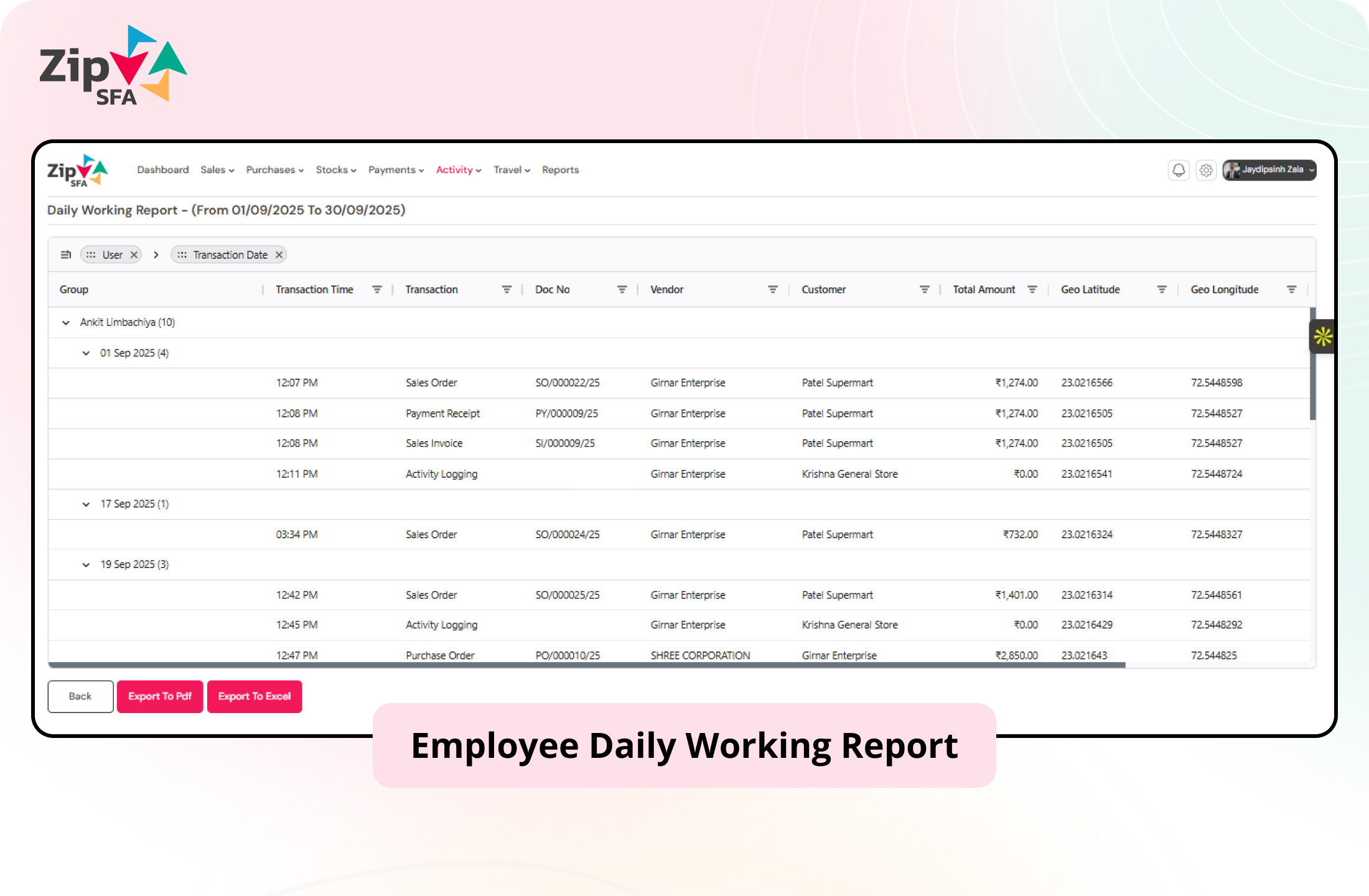
ZipSFA connects field and channel activity with the user, customer, date and relevant transaction. Managers can review the result and investigate the underlying execution without rebuilding it manually.
Use these answers to prepare a more specific product and process discussion.
Beat planning software helps sales teams group customers or outlets into recurring field-visit plans by territory, representative, frequency and working day. It also provides a consistent basis for comparing planned coverage with completed activity.
Beat planning defines which outlets a representative should cover and how often. Route planning focuses on organising the travel or visit sequence for that work. The two processes are related but solve different planning questions.
A practical starting point includes outlet and location masters, territory ownership, responsible representatives, account priorities, required visit frequency and working-day rules. Data quality should be reviewed before plans are published.
The organisation should define how leave, holidays, outlet closures, territory transfers and urgent changes are approved and recorded. Managers can then review missed, rescheduled and completed visits using consistent rules.
Configured location context and visit records can be linked to the assigned outlet and working plan. The implementation should define transparent location policies, permitted checks and the business outcome required from each visit.
Offline-capable activities and ERP integration can be evaluated during implementation. Teams should define the data required on the device, synchronization rules, master ownership, transfer frequency and exception handling.