
ZipSFA capability
Offline Sales Force Automation App
Keep essential field workflows available when representatives work in locations with inconsistent mobile connectivity.
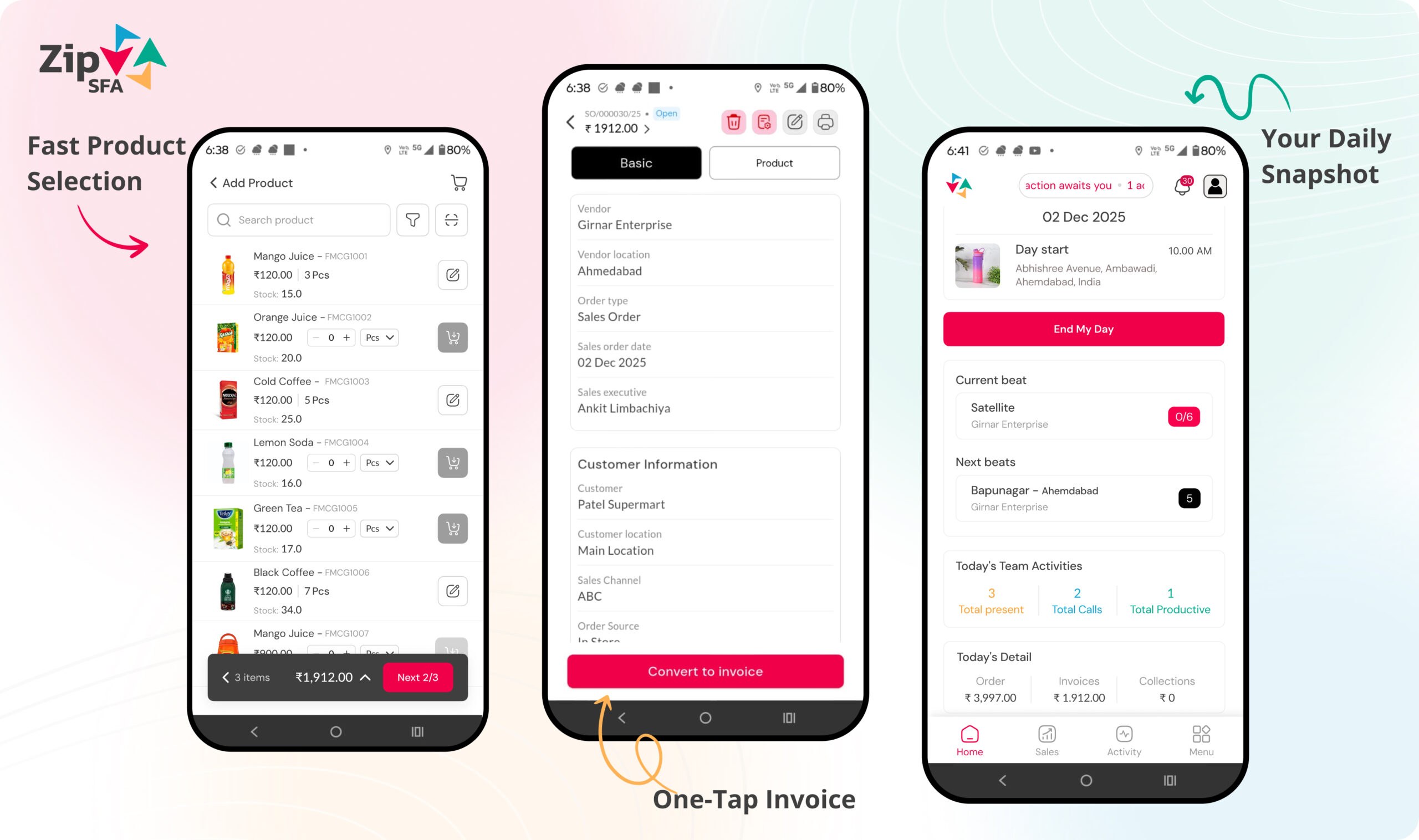
Why teams evaluate this
Field work cannot stop every time a network becomes weak. Offline-capable workflows should let users continue approved activities and synchronize records after connectivity returns.
The process should be evaluated from the first field action through manager review and downstream operational ownership.
01
Prepare required masters before field work
02
Capture supported activities without a live connection
03
Store records securely on the device
04
Synchronize and resolve exceptions after reconnection
Connected roles
Give each team the right part of the operating record.
Permissions and workflows should match responsibility, so representatives stay focused while managers and operations teams retain the required control.
Territory managers
IT and implementation teams
Sales operations
Prepare the evaluation
Test the process with representative business data.
Use a realistic offline sales force automation app scenario during evaluation. Include the people who perform the action, the manager who reviews it and the team that owns the resulting transaction or report.
- Sample users, roles and reporting hierarchy
- Representative customer, outlet and product masters
- Normal transactions plus common exceptions
- Required approvals, reports and downstream ownership
Define success clearly
Measure whether execution becomes more consistent.
A product review should establish what users will do differently and what managers will be able to verify. Avoid relying only on dashboard appearance or a long feature checklist.
- Time required to complete the field action
- Completeness and accuracy of captured records
- Visibility of pending work and exceptions
- Effort required for manager and operations follow-up
Discover
Map roles, masters and existing systems.
Configure
Define workflow, permissions and approvals.
Validate
Test realistic data and exception scenarios.
Adopt
Train users and review early operating records.
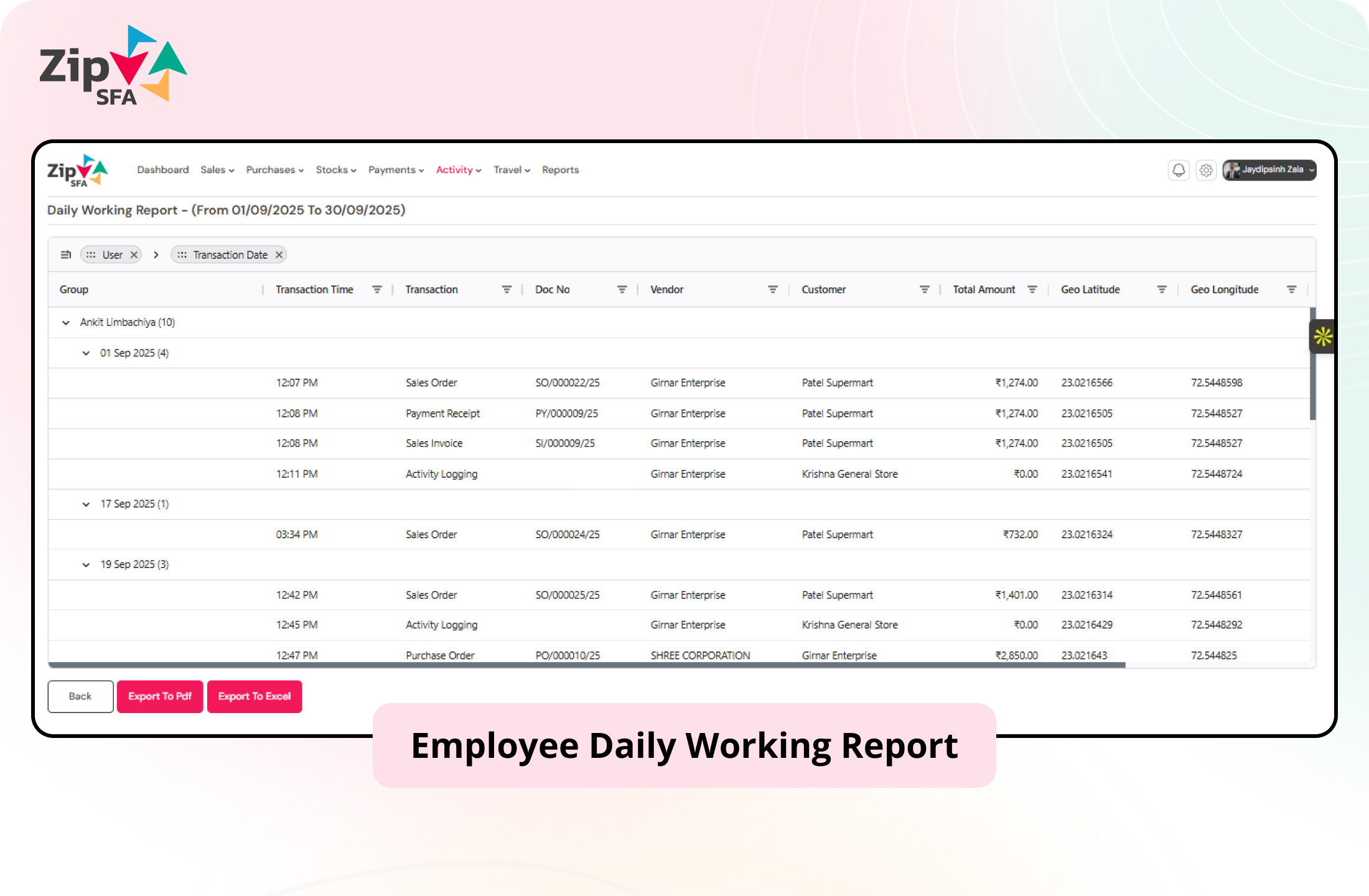
From action to review
Keep operational context attached to the record.
ZipSFA connects field and channel activity with the user, customer, date and relevant transaction. Managers can review the result and investigate the underlying execution without rebuilding it manually.
- Role-based working views
- Customer and transaction context
- Structured manager review
- Configurable reports and integration scope
Evaluation questions
Confirm the workflow before implementation.
Use these answers to prepare a more specific product and process discussion.
What does offline sales force automation app help manage?
Offline Sales Force Automation App helps teams create a structured workflow for offline sales force automation app, with records that can be reviewed by the relevant managers and operations teams.
Who should evaluate this ZipSFA capability?
This workflow is relevant to Rural sales teams, Territory managers, IT and implementation teams, Sales operations. The final configuration depends on role permissions, masters, approvals and reporting requirements.
Can this workflow connect with an existing ERP?
Integration can be evaluated when the external system exposes the required masters and transactions. Data ownership, timing, validation and exception handling must be defined during implementation.