Territories and customer lists
Organise assigned doctors, hospitals, pharmacies or channel accounts by territory, representative and relevant visit frequency.
Explore workflow
Pharma field teams work across planned customer coverage, product communication, activity reporting and manager review.
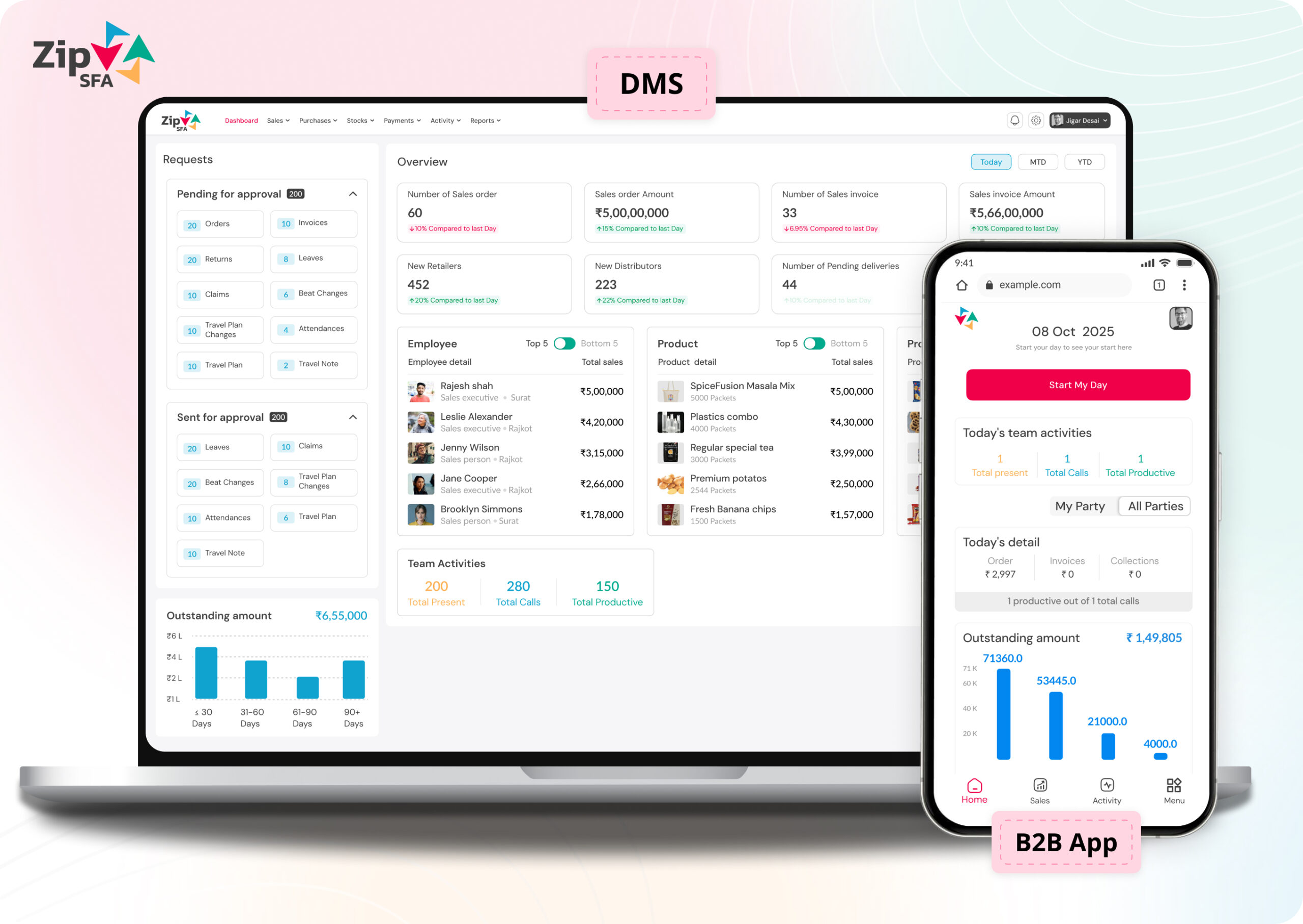
ZipSFA is configured around existing roles, customer structures, territories, approvals and reporting needs rather than assuming one standard implementation.
Territory and visit planning
Customer activity records
Representative daily reporting
Expense and attendance workflows
Pharma sales force automation should help field teams organise customer coverage and activity reporting while giving managers a consistent operating record. The configured workflow must reflect the company's roles, policies and approved processes.
Organise assigned doctors, hospitals, pharmacies or channel accounts by territory, representative and relevant visit frequency.
Explore workflowGive representatives a clear working plan with the customer context and approved activities required for each scheduled interaction.
Explore workflowCapture the configured visit outcome, product or activity context and next action in a structured mobile record.
Explore workflowConnect completed visits and activities with the representative, date, territory and customer so managers can review daily execution.
Explore workflowKeep day start, working activity and field-expense submissions in defined workflows with the required review steps.
Explore workflowHelp area and regional managers identify incomplete records, pending actions and territory-level exceptions for follow-up.
Explore workflowA useful demonstration should follow a normal medical-representative day using sample territory, customer, product and activity data. It should also show how managers review completion and handle common exceptions.
Permissions and workflows should match responsibility, so representatives stay focused while managers and operations teams retain the required control.
A pharmaceutical sales implementation should reflect actual channel roles, visit cadence, product structure and exception handling. Industry terminology alone is not a configuration.
A product review should establish what users will do differently and what managers will be able to verify. Avoid relying only on dashboard appearance or a long feature checklist.
Map roles, masters and existing systems.
Define workflow, permissions and approvals.
Test realistic data and exception scenarios.
Train users and review early operating records.
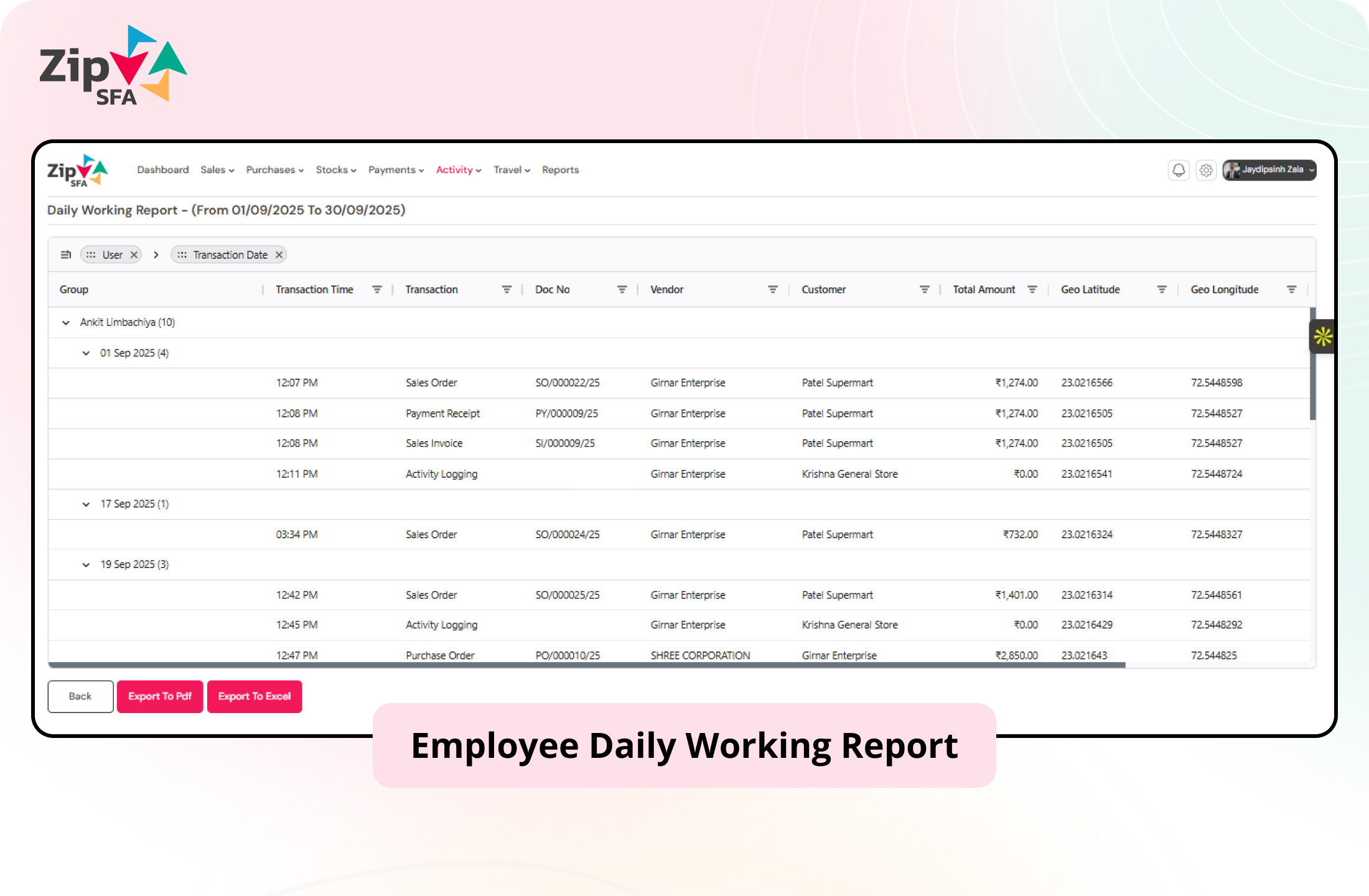
ZipSFA connects field and channel activity with the user, customer, date and relevant transaction. Managers can review the result and investigate the underlying execution without rebuilding it manually.
Use these answers to prepare a more specific product and process discussion.
Pharma sales force automation software structures recurring field activities such as territory planning, customer visits, activity capture, daily reporting and manager review. The appropriate setup depends on the company's field roles, customer types, policies and existing systems.
ZipSFA can be configured around assigned territories, customer lists, planned visits, mobile activity records, attendance, expenses and management reporting. The discovery process should confirm the exact information and controls required for each role.
Completed visits and configured activities can form a structured daily working record for manager review. The organisation should define required fields, approval responsibilities, corrections and reporting terminology during implementation.
Offline-capable activities can be evaluated for representatives working in weak-network locations. The implementation should define what data is available on the device, which actions can be completed offline and how synchronization exceptions are handled.
Integration can be evaluated when the external system exposes the required masters or transactions. System ownership, transfer frequency, validation, failure handling and reconciliation responsibilities must be agreed before implementation.
Prepare sample roles and hierarchy, representative territories, customer and product masters, normal visit scenarios, required daily reports, attendance and expense rules, and the common exceptions managers handle today.